XADES file app for iPhone
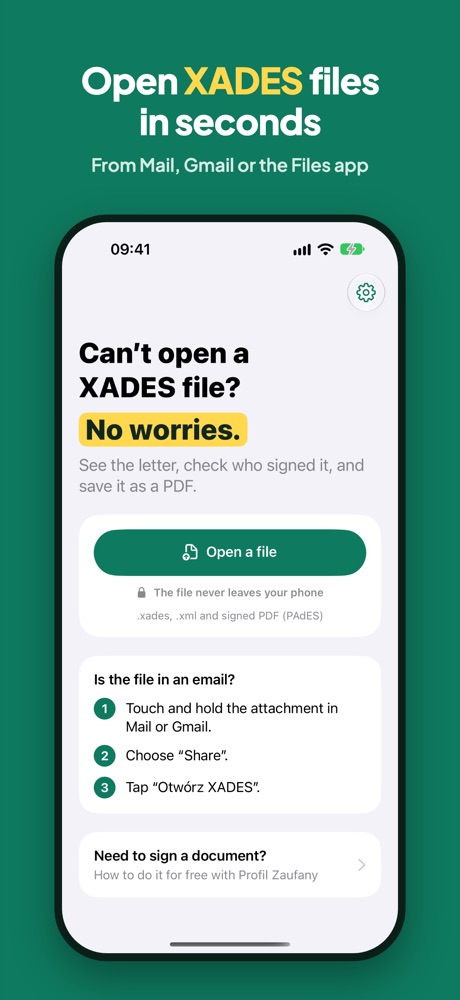
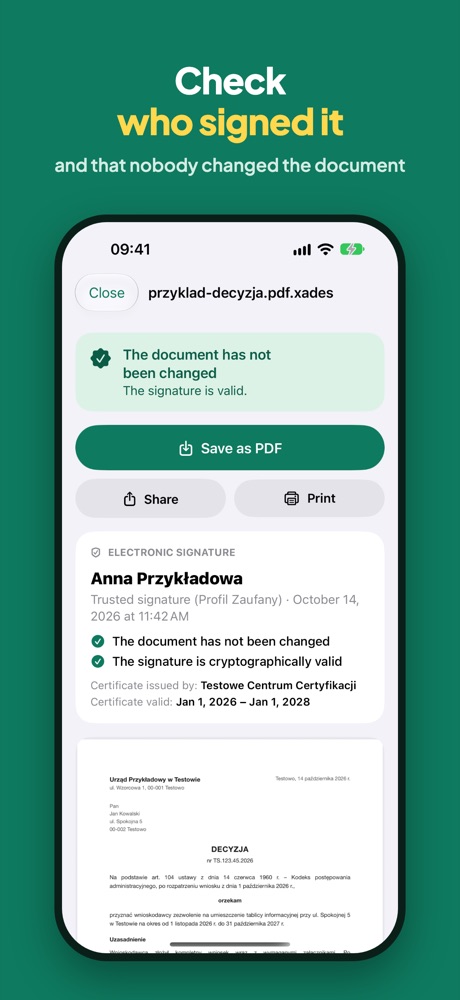
Otwórz XADES opens .xades, .sig and .p7m files, e-Delivery .zip packages and signed PDFs straight from Mail, Gmail and the Files app. See the letter, check who signed it and save it as a PDF.
- Open the file straight from Mail, Gmail or Files: “Share” → “Otwórz XADES”
- Check signed PDFs (PAdES) too
- The file never leaves your phone
Free on the App Store. Your first save is free.
File in your email? Three taps
Touch and hold the .xades attachment in Mail or Gmail.
Choose “Share”.
Tap “Otwórz XADES”. The letter and the signature appear right away.
No iPhone?
On Android and computers you can open the file in your browser, with nothing to install.
Questions
Is the app free?
Yes. Opening, reading and checking signatures is free, and so is your first save. Unlimited saving and printing is a weekly, monthly or yearly subscription.
Is my file sent anywhere?
No. The app opens the file only on your phone and never sends it to any server. PESEL numbers are never shown.
Which files can I open?
Electronically signed .xades, .xml, .sig and .p7m files (trusted, personal or qualified signatures), e-Delivery .zip packages, ePUAP letters, and signed PDFs (PAdES).
Is there an Android version?
On Android you can open the file in your browser at otworzxades.pl. It works the same way and needs no install.
Does the app sign documents?
No. You can make a trusted signature for free on podpis.gov.pl and then open the signed file in the app.